

A CO2 laser machine may sometimes fire when the test button on the laser power supply is pressed but fail to respond when a job is started from the controller.
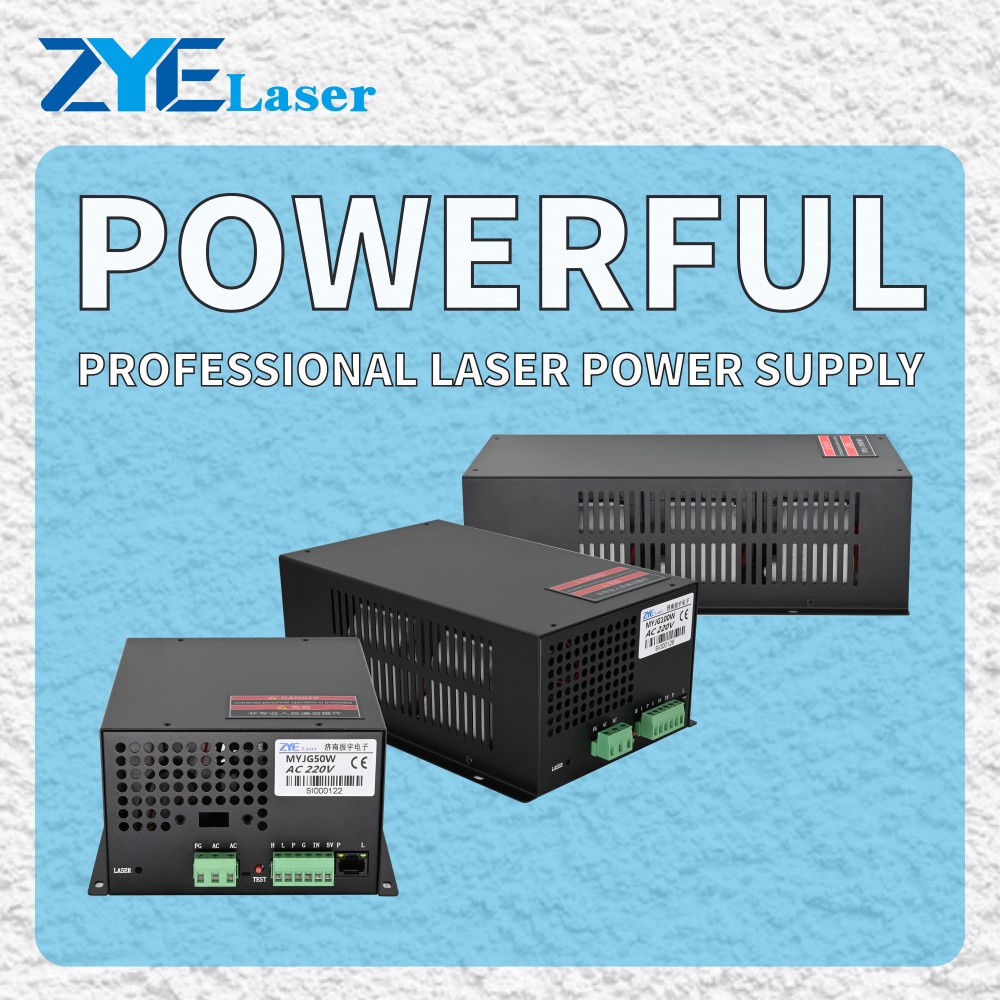
This symptom provides a useful diagnostic clue. It suggests that the laser tube and power supply can produce laser output under the test condition. However, it does not prove that the power supply is fully functional. The problem may still involve the control signal, protection circuit, controller settings or wiring connections.
CO2 laser equipment contains hazardous high voltage. Inspection and repair must be performed by qualified personnel with the machine safely disconnected from mains power. Do not bypass safety circuits or touch high-voltage connections during testing.
Check the Machine Status First
Confirm whether the controller displays an alarm, paused status or other warning. Check that the job has started correctly and that the laser power setting is not zero.
Some controllers also have output restrictions related to speed, layer settings or machine configuration. Review the controller settings and machine documentation before assuming that the power supply has failed.
Review the Protection Circuit
Many CO2 laser systems use a water-protection or safety interlock circuit. If this circuit is open, the controller or power supply may prevent laser emission even when the cooling system appears to be running.
Check for cooling alarms, lid-interlock status and other protection warnings. Inspect the related connectors for looseness, damage or corrosion.
A protection circuit should never be bypassed simply to make the laser operate. The cause of the protection condition must be identified and corrected.
Inspect the Control-Signal Connections
The machine controller sends a firing command to the laser power supply through low-voltage control terminals. Depending on the power supply version, these may include laser-trigger, signal-ground, power-control and protection connections.
Compare the terminal labels with the machine documentation and original wiring photographs. Check for:
- Loose or disconnected wires
- Incorrect terminal positions
- Damaged connectors
- Poor signal-ground connections
- Wiring changes made during previous repairs
Do not identify terminal functions by wire color alone. Labels and control logic can differ between power supply models.
Consider the Controller and Signal Path
If the wiring and protection circuits appear normal, the problem may be in the controller output, interface board or signal cable. A qualified technician can verify whether the correct control command reaches the power supply when the machine requests laser output.
Testing should follow the controller and power supply documentation. Do not apply an external signal or short terminals without confirmed technical instructions.
Does the Power Supply Still Need Checking?
Yes. A successful manual test does not rule out every internal fault. The power supply may respond to its local test circuit but fail to respond correctly to an external control signal.
Before replacing any component, record the machine symptoms and provide:
- Power supply model and label photo
- Control-terminal and wiring photos
- Controller model
- Displayed alarms or status messages
- Laser tube specifications
- A short video showing the fault
Jinan Zhenyu Electronics Co., Ltd. (ZYE Laser)can use this information for an initial compatibility and fault assessment.
FAQ
Does a working test button prove that the power supply is good?
No. It confirms a basic response under test conditions, but the external control-input section may still require inspection.
Should I bypass the water-protection terminal for testing?
No. Bypassing a protection circuit may create a safety risk or damage the laser system.
Test mode works but the controller cannot fire the laser? Send us the power supply label, terminal photos, controller model and a short fault video for an initial review.